How to Achieve Remote Monitoring with No Electricity and No Network
Imagine needing to keep an eye on a remote property, a bustling construction site, or even your cherished livestock, all in a place where there's no power outlet and no internet connection. It sounds like a daunting challenge, doesn't it? For a long time, the lack of traditional infrastructure made effective surveillance in such areas nearly impossible. Incidents of theft or vandalism were hard to detect and address promptly, leaving valuable assets vulnerable.
But what if I told you that achieving reliable remote monitoring with no electricity and no network is not just possible, but surprisingly straightforward? Join me as we explore the innovative solutions that make this a reality. By combining self-sufficient power sources with advanced communication technology, you can now establish a vigilant watch over any location, no matter how isolated.
Key Takeaways
- Embrace Cellular Technology: Cellular security cameras are the cornerstone of off-grid monitoring. They use 4G or 5G networks to transmit video and alerts, bypassing the need for Wi-Fi.
- Harness Solar Power: Solar panels paired with rechargeable batteries offer a continuous, self-sustaining power source for your cameras, ensuring 24/7 operation without relying on the electrical grid.
- Strategic Setup is Crucial: The effectiveness of your system hinges on proper setup. This includes choosing the right data plan, optimizing camera placement for signal strength, and implementing data conservation strategies.
- Feature-Rich for Robustness: Look for cameras with high-resolution video, weather resistance (IP ratings), quality night vision, and local storage options like SD cards for backup.
- Versatile and Impactful Applications: This technology is transforming security for farms, construction sites, remote cabins, and wildlife conservation, providing peace of mind and operational efficiency.
- Overcoming Challenges: While powerful, these systems require attention to potential issues like inconsistent cellular signals and optimizing battery performance, which can be managed with the right tools and techniques.
Unlocking Remote Monitoring with No Electricity, No Network: The Power of Cellular Cameras
The key to unlocking surveillance beyond the grid lies in a technology that most of us use every day: the cellular network. Just as your smartphone connects you to the world without being tethered to a cable, specialized security cameras can now do the same for your remote properties. These devices are the heart of any "no electricity, no network" security strategy.
What are Cellular SIM Card Cameras?
A cellular security camera is a surveillance device that transmits video and data using a mobile network, such as 4G LTE or 5G, instead of a traditional Wi-Fi connection. Much like a cell phone, each camera contains a SIM card slot. Once a SIM card with an active data plan is inserted, the camera can connect to a nearby cellular tower to send real-time alerts, stream live video, and upload recorded footage to your phone or computer from virtually anywhere.
These cameras are engineered from the ground up to be completely independent. Because they are designed for locations without existing infrastructure, they are almost always wire-free. They typically draw power from high-capacity rechargeable batteries, which are often paired with solar panels to ensure continuous operation. This combination of cellular connectivity and self-sufficient power makes them a standalone solution for true off-grid monitoring.
Why They're Essential for Off-Grid Surveillance
For properties lacking internet or power, cellular cameras aren't just a good option—they are the best solution. Their fundamental design solves the most significant challenges of remote surveillance. Here’s why they are indispensable:
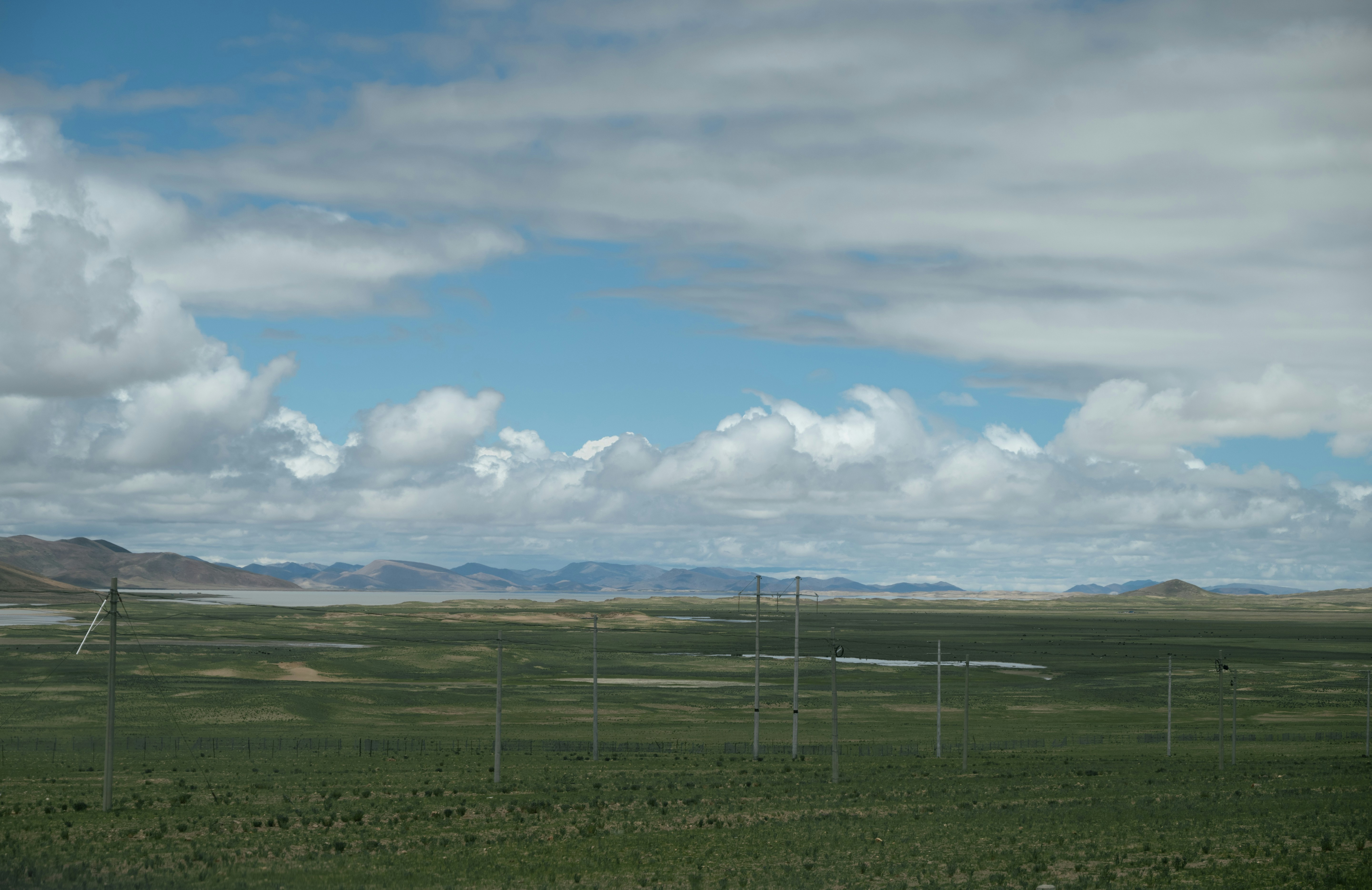
- Ultimate Location Flexibility: The primary advantage is the freedom to install them almost anywhere, as long as there is some level of cellular service. This makes them perfect for vast farms, isolated cabins, sprawling construction sites, RVs, and any property beyond the reach of Wi-Fi routers.
- Enhanced Security and Reliability: Cellular cameras are generally considered more secure than their Wi-Fi counterparts. Since they don't connect to a local internet network, they are less vulnerable to common hacking attempts that target Wi-Fi routers. The data is transmitted over an encrypted, secure cellular connection, making it much harder for unauthorized parties to intercept. Furthermore, they are immune to local power outages or internet disruptions that would disable traditional systems.
- Simple, Cable-Free Installation: Without the need for network or power cables, installation is straightforward. This "do-it-yourself" approach saves on complex wiring and professional installation costs, allowing you to set up your surveillance system quickly and easily.
- Real-Time Access and Control: Despite being off-grid, you remain in full control. Cellular connectivity allows you to receive instant motion-activated alerts, view live video feeds, and access stored recordings from your smartphone or other devices, no matter where you are. This immediate access is critical for a rapid response to security events.
In essence, by cutting the cords to both the electrical grid and landline internet, these standalone devices deliver reliable protection where traditional cameras simply cannot function. They represent a fundamental shift in how we approach security, offering peace of mind in the most challenging environments.
Self-Sufficient Energy Solutions for Remote Monitoring with No Electricity, No Network
A cellular camera solves the "no network" problem, but the "no electricity" challenge requires an equally robust solution. Fortunately, harnessing renewable energy provides a reliable and sustainable way to power your surveillance system indefinitely, completely free from the traditional power grid.
Harnessing Solar Power for Continuous Operation
The most effective and popular way to power off-grid cameras is through solar energy. These systems are elegantly simple yet highly effective, operating on a basic energy cycle.
Here's how it works:
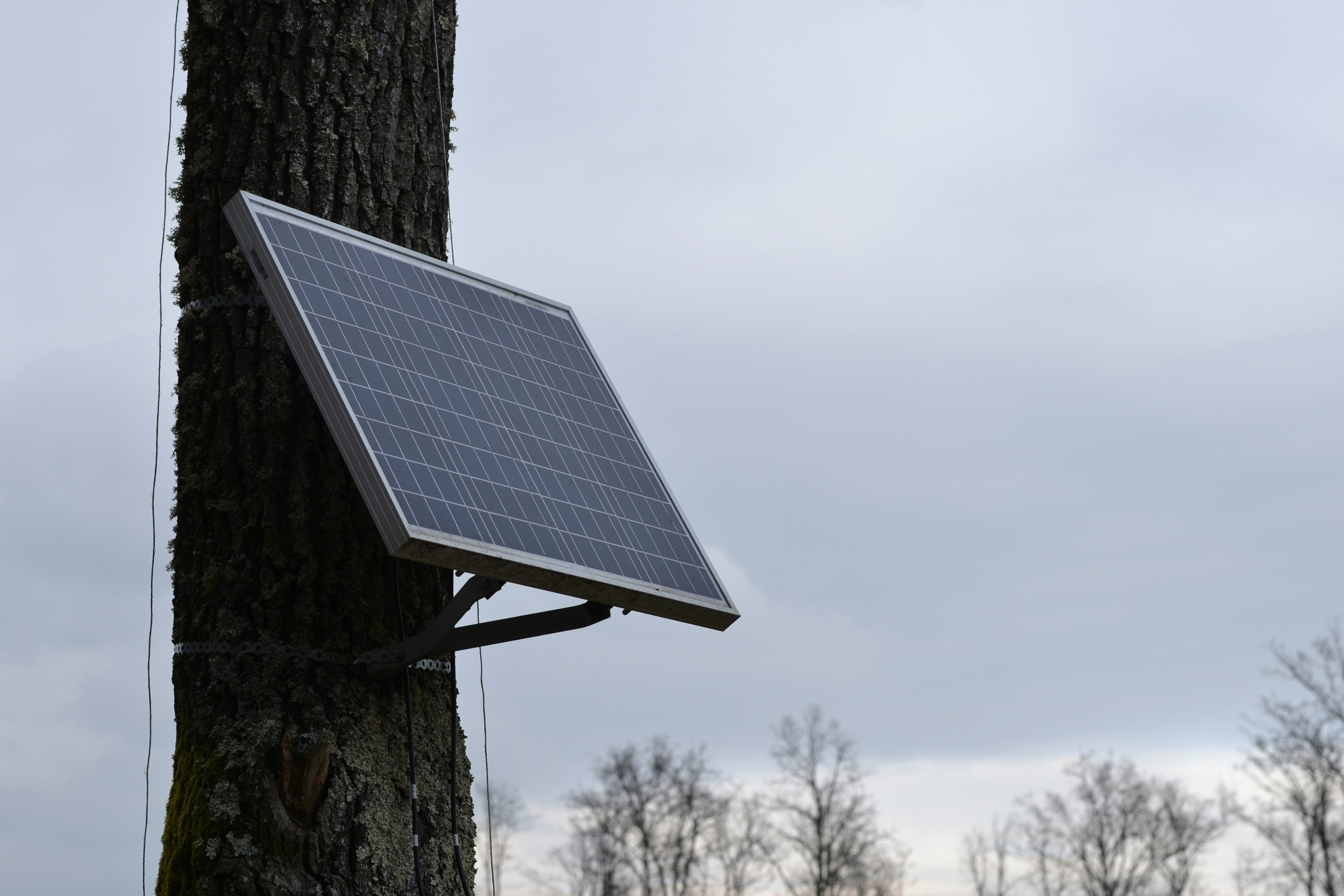
- Energy Capture: A solar panel, typically made of monocrystalline silicon for higher efficiency, captures sunlight and converts it into direct current (DC) electricity.
- Energy Storage: This electricity is used to charge a high-capacity, built-in rechargeable battery, usually a lithium-ion type. These batteries can store enough energy to power the camera through the night and during overcast days.
- Continuous Power: The camera draws power from the battery around the clock. During the day, the solar panel simultaneously powers the camera and recharges the battery, ensuring the system remains operational 24/7.
Modern solar-powered security systems are designed as integrated, self-contained units. This means the solar panel, battery, charge controller, and camera work together seamlessly. This approach eliminates the need for any external wiring, making deployment incredibly simple and flexible. For project managers on construction sites or owners of remote properties where trenching for power lines is impractical, solar-powered cameras are often the only viable option.
Sustainable and Reliable Power Beyond the Grid
The combination of solar panels and high-capacity batteries creates a truly sustainable and dependable power source. This setup is not only environmentally friendly by using clean energy but also cost-effective over the long term by eliminating electricity bills. A well-designed system ensures your cameras stay online without interruption, which is critical for security.
Here are the key components of a reliable off-grid power system:
| Component | Role | Key Considerations |
|---|---|---|
| Solar Panel | Captures sunlight and converts it to electricity. | Wattage: A panel's power output (in watts) determines its charging speed. A 3W panel might suffice for a low-traffic area, but a 6W or higher panel is essential for high-activity zones or cameras with power-hungry features like spotlights. For cellular cameras, an 8-15W panel is a safer bet. Material: Monocrystalline panels offer higher conversion efficiency. Look for panels with durable, weatherproof construction (like an IP65 rating) to withstand the elements. |
| Rechargeable Battery | Stores energy for nighttime and cloudy-day operation. | Capacity: Measured in milliampere-hours (mAh), a higher capacity means longer runtime without sun. The battery should have enough capacity to power the camera for several days without a recharge. Type: Lithium-ion batteries are the standard due to their high energy density, long cycle life (often 500+ recharges), and better performance in various temperatures. They can often last for 5-10 years. |
| Charge Controller | Regulates the flow of electricity from the panel to the battery. | Protects the battery from overcharging, which can extend its lifespan. This is usually integrated into the camera or solar panel system. |
A properly sized system is the backbone of reliability. For example, a typical 4G camera might use around 8 watt-hours (Wh) per day. To ensure it runs through the night, the battery must have sufficient storage. A well-maintained solar security camera can operate for years with minimal intervention, offering true set-and-forget peace of mind. This autonomy makes it a game-changer for protecting remote assets where grid power is a distant luxury.
Setting Up Your Independent System for No Electricity, No Network Remote Monitoring
Once you've chosen your solar-powered cellular camera, the final piece of the puzzle is setting it up for optimal performance. A successful deployment involves selecting the right data plan, carefully considering camera placement, and using smart strategies to manage data consumption. Proper setup ensures your system is not only functional but also efficient and cost-effective.
Selecting SIM Cards and Managing Data Plans
The SIM card is the key that connects your camera to the cellular network. Choosing the right card and data plan is crucial for both connectivity and budget management.
1. Choosing a Carrier and SIM Card:
- Check Coverage First: Before anything else, verify which cellular carriers have the strongest signal at your specific location. Use the coverage maps from major providers like AT&T, T-Mobile, and Verizon. A strong signal is non-negotiable for reliable video transmission.
- Data-Only and IoT Plans: You don't need a regular phone plan. Look for "data-only" or "IoT" (Internet of Things) plans. These are specifically designed for devices like security cameras and are often more cost-effective. Providers like EIOTCLUB specialize in SIM cards for security cameras that can even switch between multiple carrier networks to find the best signal.
- Prepaid vs. Postpaid: Prepaid plans offer flexibility, allowing you to pay for data in advance without a contract. This is ideal if your usage varies. Postpaid plans bill you monthly based on usage, which can be convenient but may lead to overage charges if you're not careful.
2. Estimating Data Usage: A camera's data consumption is not constant; it depends heavily on your settings and usage patterns. Key factors include:
- Live Streaming: This is the most data-intensive activity. An hour of live viewing in clear HD can use over 1 GB of data.
- Motion-Triggered Recordings: Most cellular cameras stay in a low-power "sleep" mode and only use data when they detect motion or when you initiate a live view. The number of motion events is the biggest factor in your monthly usage.
- Video Resolution: Higher resolutions like 4K produce clearer images but create larger files, consuming more data than 1080p or SD streams. Streaming in HD can use 2-4 MB per minute, while SD might use only 0.5-1 MB.
On average, a cellular camera in a typical setting might use between 500 MB and 5 GB of data per month. For most users, a plan with 3-5 GB is a safe starting point, providing enough data for regular alerts and occasional live check-ins.
3. Activating the SIM Card: Activation procedures vary by carrier. Some camera brands offer their own bundled SIM cards that can be activated through their app. For third-party SIM cards, you may need to activate them online through the carrier's portal or by contacting their support. It's crucial to follow the specific activation instructions before inserting the SIM card into the camera.
Optimal Placement and Installation for Signal Strength
Where you place your camera has a massive impact on its effectiveness. The goal is to maximize both the security view and the cellular signal.
- Height and Angle: Mount the camera high enough (9-10 feet) to get a clear overview of the area and prevent easy tampering. Angle it downwards to focus on the points of interest, such as gates, entrances, or valuable equipment.
- Signal Comes First: Before permanently mounting the camera, use its app or your smartphone to test the cellular signal strength in various potential spots. A weak signal will lead to failed connections, delayed alerts, and frustration. Don't compromise on signal quality.
- Maximize Sun Exposure for Solar Panels: The solar panel needs several hours of direct, unobstructed sunlight each day to keep the battery charged. Position it facing south (in the Northern Hemisphere) and ensure it’s not shaded by trees, buildings, or other structures.
- Avoid Obstructions: Trees, walls, and large metal objects can interfere with both cellular signals and the camera's motion detection capabilities. Position the camera for a clear line of sight to the area you want to monitor and, if possible, the nearest cell tower.

Smart Strategies for Data Conservation
Since cellular data comes at a cost, it’s wise to use it efficiently. Here are some proven strategies to reduce data consumption without sacrificing security:
- Adjust Motion Detection Settings: Fine-tune the sensitivity of the motion sensor to avoid false alarms from passing animals, rustling leaves, or changing shadows. Some cameras allow you to set up specific "activity zones," so you only get alerts for motion in critical areas.
- Use Lower Resolution for Streaming: Unless you need to identify fine details, stream live video in Standard Definition (SD) instead of High Definition (HD). This can reduce data usage by up to 75%.
- Rely on Local Storage: Choose a camera with a microSD card slot. This allows the camera to record all motion events locally without using any data. You can then review the footage later by accessing the SD card, only using cellular data to stream live video when an urgent alert comes in.
- Limit Live Viewing: Be mindful of how often and how long you stream live video. Save it for when you receive a critical alert or need to perform a real-time check.
By implementing these setup strategies, you can create a highly effective, self-sufficient, and affordable remote monitoring system that keeps you connected to your property, no matter how far off the grid it is.
Versatile Applications and Key Considerations for No Electricity, No Network Remote Monitoring
The power of solar-powered cellular cameras extends far beyond simple security. Their ability to operate independently makes them invaluable across a wide range of industries and scenarios. However, to get the most out of these systems, it’s important to select a camera with the right features for robust performance.
Essential Features for Robust Performance
When choosing a camera for off-grid deployment, look for a combination of hardware and software features that ensure reliability, clarity, and durability.
High-Resolution Video (4K/2K): Image clarity is paramount. A 4K security camera captures video at a resolution of 3840 x 2160 pixels, which is four times the detail of standard 1080p. This superior quality makes it easier to identify critical details like faces and license plates, even when digitally zooming in on recorded footage. For security purposes, this level of detail can be the difference between actionable evidence and a blurry, unusable video.
Advanced Night Vision: Security threats don't stop when the sun goes down. Modern cameras offer several types of night vision technology:
- Infrared (IR) Night Vision: This is the most common type. The camera uses IR LEDs to illuminate the area with light that is invisible to the human eye, producing clear black-and-white images in complete darkness. It's discreet and effective.
- Starlight/Low-Light Color Vision: These cameras use highly sensitive sensors to amplify ambient light from the moon or distant sources, allowing them to produce full-color images in very low-light conditions where traditional cameras would switch to black and white. This provides more detail, such as the color of clothing or a vehicle.
- Dual-Light/Hybrid Systems: The most advanced cameras combine these technologies, using starlight for color images when possible and automatically switching to IR for visibility in pitch-black conditions.
Weatherproof and Durable Design (IP Ratings): Outdoor cameras must withstand the elements. The IP (Ingress Protection) rating is a global standard that tells you exactly how protected a device is against solids and liquids. The rating consists of two numbers:
- First Digit (Solids): A '6' is the highest rating, meaning the camera is completely dust-tight.
- Second Digit (Liquids): An IP65 rating means the camera can resist water jets, like rain or sprinklers. An IP67 rating is even better, indicating the camera can be submerged in up to 1 meter of water for a short time. For most outdoor applications, an IP66 or IP67 rating ensures the camera can handle harsh weather, from torrential rain to dust storms.
Local Storage (SD Card): A camera with a microSD card slot provides a crucial backup. It records footage locally, so you don’t lose evidence if the cellular connection temporarily drops. This also allows you to conserve data by only streaming when necessary.
Real-World Impact: From Farms to Wildlife
The true value of these independent surveillance systems is demonstrated in their diverse, real-world applications.
Agriculture and Farming: Farms are often vast, remote, and lack consistent Wi-Fi or power across their acreage, making them prime candidates for cellular cameras. Farmers use these systems to monitor livestock in distant pastures, check on calving pens without disturbing the animals, and secure valuable equipment like tractors and fuel tanks from theft. The ability to receive real-time motion alerts for activity near gates or barns provides immense peace of mind and operational efficiency.
Construction Sites: Job sites are temporary, often lack infrastructure, and are filled with expensive materials and equipment, making them vulnerable to theft and vandalism, especially after hours. Rugged, solar-powered cellular cameras can be deployed rapidly without needing to run wires or set up a network. Project managers can monitor site progress, verify deliveries, and maintain security 24/7 from any location, improving safety and reducing losses.
Wildlife Conservation and Monitoring: Trail cameras, many of which now incorporate cellular technology, have revolutionized how researchers and conservationists study animals. These non-intrusive cameras can be left in remote habitats for months, capturing candid footage of elusive or endangered species without human disturbance. The data collected helps scientists monitor population sizes, understand animal behavior, and protect against illegal poaching, providing invaluable insights for conservation strategies.
Remote Properties: For owners of vacation cabins, boats, RVs, or any property located off the beaten path, these cameras are a game-changer. They provide a reliable way to check for intruders, monitor for environmental issues like snow buildup or flooding, and ensure the property is secure from hundreds of miles away.
By offering a versatile and powerful solution for monitoring areas without traditional infrastructure, solar-powered cellular cameras are providing security, efficiency, and critical data to users in some of the most challenging environments.
Addressing Challenges in No Electricity, No Network Remote Monitoring
While solar-powered cellular cameras are powerful tools, their off-grid nature presents unique challenges. The two most common hurdles are maintaining a stable cellular connection and ensuring the power system runs optimally. Fortunately, with proactive troubleshooting and smart management, these challenges can be effectively overcome.
Ensuring Consistent Cellular Signal Strength
A stable cellular signal is the lifeline of your remote camera. A weak or intermittent signal can lead to delayed or missed alerts, an inability to stream live video, and failed footage uploads.
Common Causes of Poor Signal:
- Remote Location: The most obvious cause is being too far from the nearest cell tower.
- Natural Obstructions: Hills, mountains, dense forests, and even heavy foliage can absorb or block cellular radio waves.
- Man-made Obstructions: Buildings made of concrete or metal are notorious for impeding cellular signals.
- Weather Conditions: Heavy cloud cover, thunderstorms, and snow can temporarily weaken signal strength.
Troubleshooting and Solutions:
- Strategic Placement: Before finalizing installation, test the signal in multiple spots. Sometimes moving the camera just a few feet higher or to a different side of a structure can make a significant difference. Placing it on the edge of a field rather than deep within a wooded area often helps.
- Ensure a Tight Antenna Connection: A loose antenna is a common and easily fixed culprit for poor reception. Ensure the camera's antenna is screwed on tightly and is in the upright position.
- Restart the Camera: A simple power cycle can often solve connectivity issues. Turn the camera off, wait a minute, and then turn it back on to allow it to re-establish a connection with the network.
- Use a Cellular Signal Booster: For locations with persistently weak signals, a cellular signal booster can be a highly effective solution. These devices consist of an external antenna to capture the weak signal, an amplifier to boost it, and an internal antenna to rebroadcast the stronger signal to your camera. Long-range external antennas can improve signal strength by up to 50%, which also helps improve the camera's battery life since it uses less power searching for a signal.
Optimizing Battery Life and Solar Charging
The camera's power system must be managed carefully to ensure it never runs out of juice, especially during long periods of cloudy weather or in the shorter days of winter.
Common Causes of Power Issues:
- Insufficient Sunlight: The solar panel is shaded by trees, buildings, or the camera itself.
- Improper Panel Orientation: The panel is not angled correctly to capture maximum sunlight.
- Dirty Solar Panel: A layer of dust, pollen, or bird droppings is blocking sunlight.
- Excessive Camera Activity: The camera is placed in a high-traffic area, causing it to wake up and record too frequently, which drains the battery faster than the sun can recharge it.
- Extreme Temperatures: Very cold temperatures (below 0°C or 32°F) can prevent lithium-ion batteries from charging for safety reasons, while extreme heat shortens a battery's overall lifespan.
Optimization and Maintenance Strategies:
| Strategy | Actionable Tips |
|---|---|
| Maximize Solar Input |
|
| Reduce Power Consumption |
|
| Maintain Battery Health |
|
By proactively addressing these signal and power challenges, you can ensure your off-grid surveillance system operates reliably and effectively, providing the constant vigilance you need.
Conclusion
By embracing the power of solar energy and cellular networks, we can effectively achieve remote monitoring with no electricity and no network, ensuring constant vigilance even in the most isolated locations. The fusion of self-sustaining solar panels with the far-reaching connectivity of 4G LTE cameras has created a robust and accessible solution for what was once a significant security hurdle.
These smart security systems are truly game-changers, offering peace of mind and robust surveillance capabilities regardless of traditional infrastructure limitations. From the farmer protecting livestock in a remote pasture to the construction manager securing a job site, this technology empowers users with real-time awareness and control. They prove that with the right tools, distance and a lack of utilities are no longer barriers to effective security.
We encourage you to explore these solutions for your own remote monitoring needs. Have you used a cellular camera in an off-grid location? Share your experiences, tips, or questions in the comments below to help our community learn and grow together!
Frequently Asked Questions (FAQ)
Q: How much data does a cellular security camera actually use per month? A: Data usage varies significantly based on your settings and activity. For typical use—where the camera records motion-triggered events and you stream live video occasionally—expect to use between 500 MB and 5 GB per month. If you stream live video frequently or the camera is in a very high-traffic area, usage could be higher.
Q: Can these cameras work in a location with a very weak cell signal? A: They can, but reliability will be compromised. If your location has a consistently weak signal (one or two bars), you will likely experience delayed notifications and difficulty streaming live video. In these cases, it is highly recommended to use a cellular signal booster or a long-range external antenna, which can significantly improve connection stability.
Q: What happens if the solar panel doesn't get any sun for several days? A: The camera will continue to run on its internal rechargeable battery. A fully charged, high-capacity battery can typically power a camera for several days to a few weeks on its own, depending on how often it's activated. The system is designed to endure periods of cloudy weather. However, for long-term viability, the panel must receive regular sunlight to recharge the battery.
Q: Are cellular security cameras more secure than Wi-Fi cameras? A: Generally, yes. Cellular cameras are considered harder to hack because they do not connect to a local Wi-Fi network, which is a common entry point for cyberattacks. They transmit data over an encrypted cellular network, adding a strong layer of security.
Q: Do I need a specific type of SIM card for my security camera? A: Yes, it's best to use a data-only or an IoT (Internet of Things) SIM card. These plans are designed for devices like cameras and are often more cost-effective than standard smartphone plans. Major carriers like AT&T, T-Mobile, and Verizon offer these, as do specialized providers like EIOTCLUB. Always check for carrier compatibility with your specific camera model.
Q: How difficult is the installation process? A: Installation is typically very straightforward and designed for DIY. Since the cameras are wire-free, there is no need for complex electrical or network cabling. The process usually involves activating the SIM card, mounting the camera and solar panel in a suitable location, and syncing the device with its mobile app.
Q: Can the camera still record if the cellular connection is lost? A: Yes, if you choose a camera with a microSD card slot. This feature allows the camera to save all recordings locally to the SD card. When the cellular connection is restored, you can typically view this stored footage through the app. This is a crucial feature for ensuring no events are missed due to network interruptions.